Why Quantify
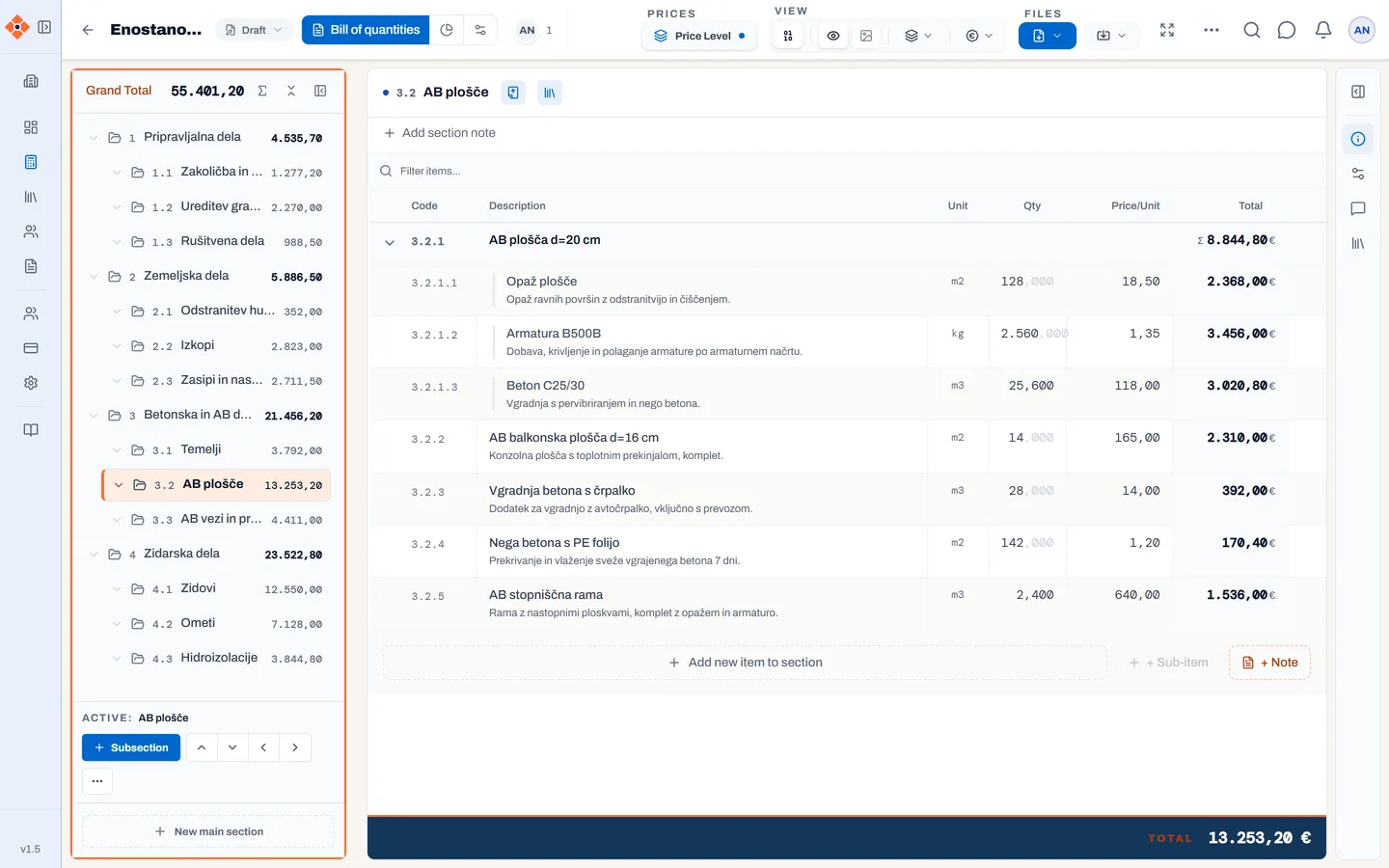
Today a bill of quantities is born in a spreadsheet and travels by email. Every change means a new file, and every new file raises the question of which one is right. In Quantify there is one bill: everyone works on it, changes appear live, and every export comes from the latest state.
What it does
Import: start with what you already have
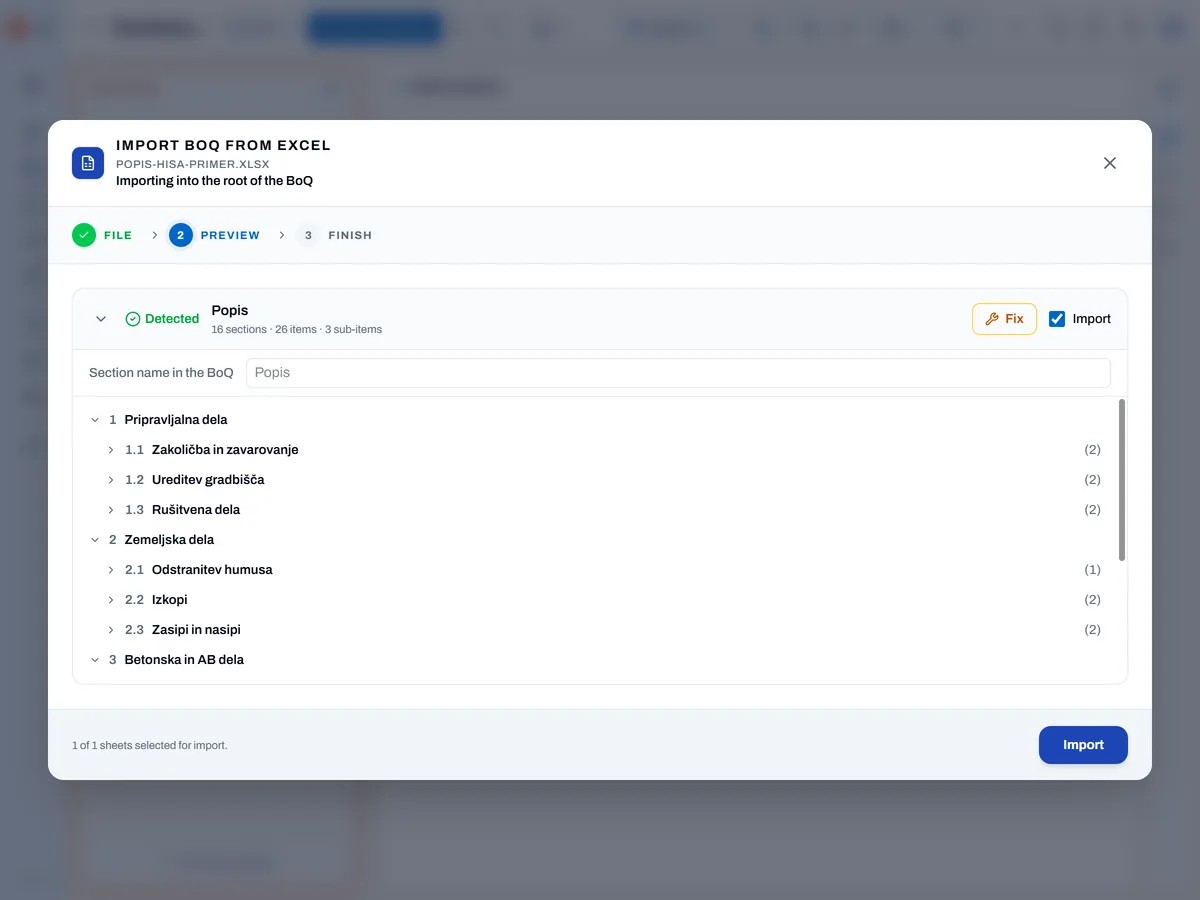
- Excel, ODS, XLS and CSV: the wizard recognises sections, items, sub-items and notes and skips summaries and VAT rows. You see a per-sheet preview and can correct columns before importing. Import always adds — it never overwrites.
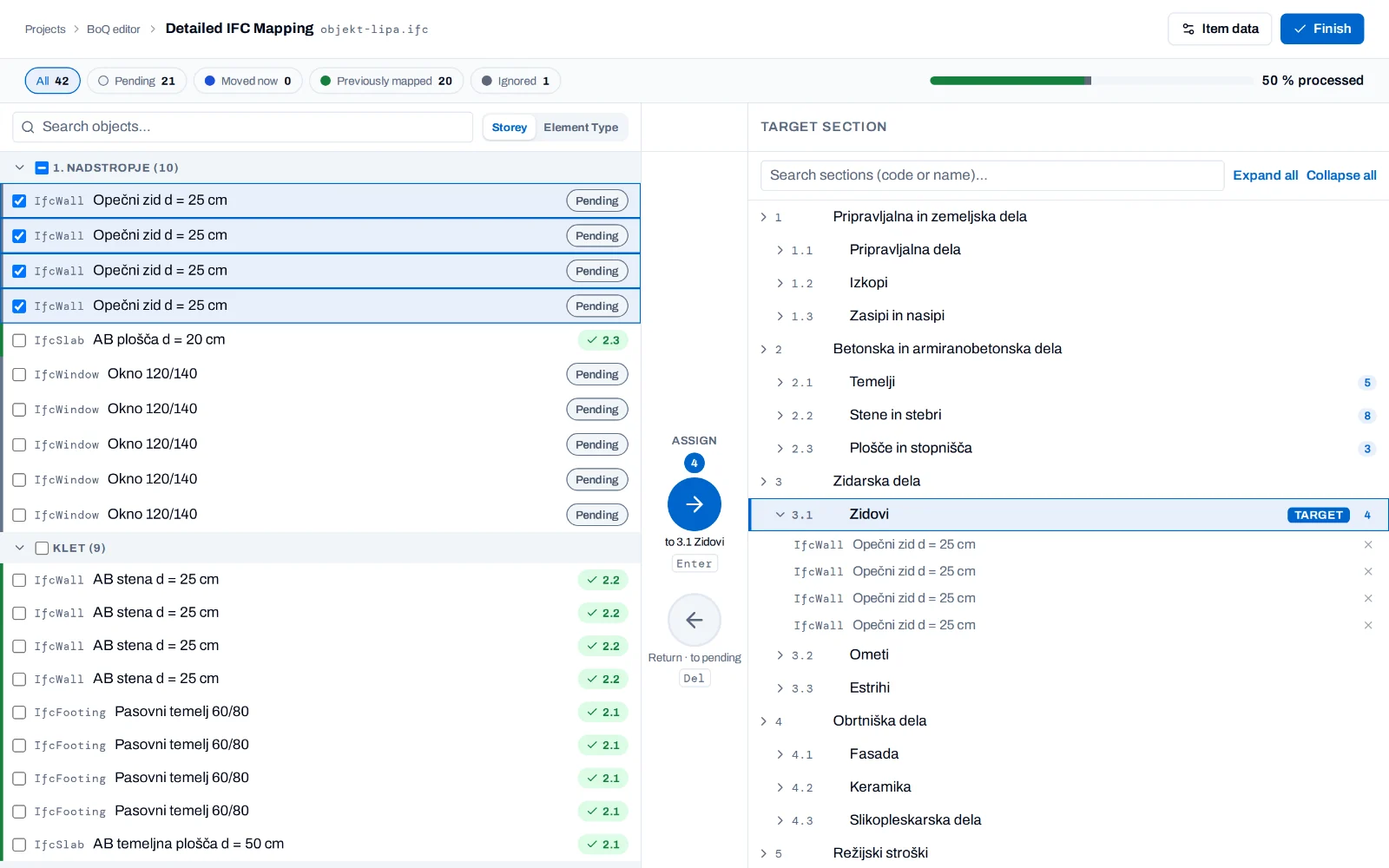
- IFC (BIM): import models in IFC2X3 and IFC4. Map elements to sections automatically or by hand, take quantities from metadata or by counting pieces. Re-importing updates quantities — you can keep your prices.
Teamwork
- Simultaneous editing: see who is in the bill and which row they are editing.
- Project roles: project manager, editor, viewer. Access can be limited to individual sections.
- External collaborators — a subcontractor or designer from another company works only on what you open to them.
- Project states from draft to approved; an approved project is locked.
Prices you can defend
- Overheads: allocate project and company overheads to items by rules, so you see the full unit price. The base price always stays visible.
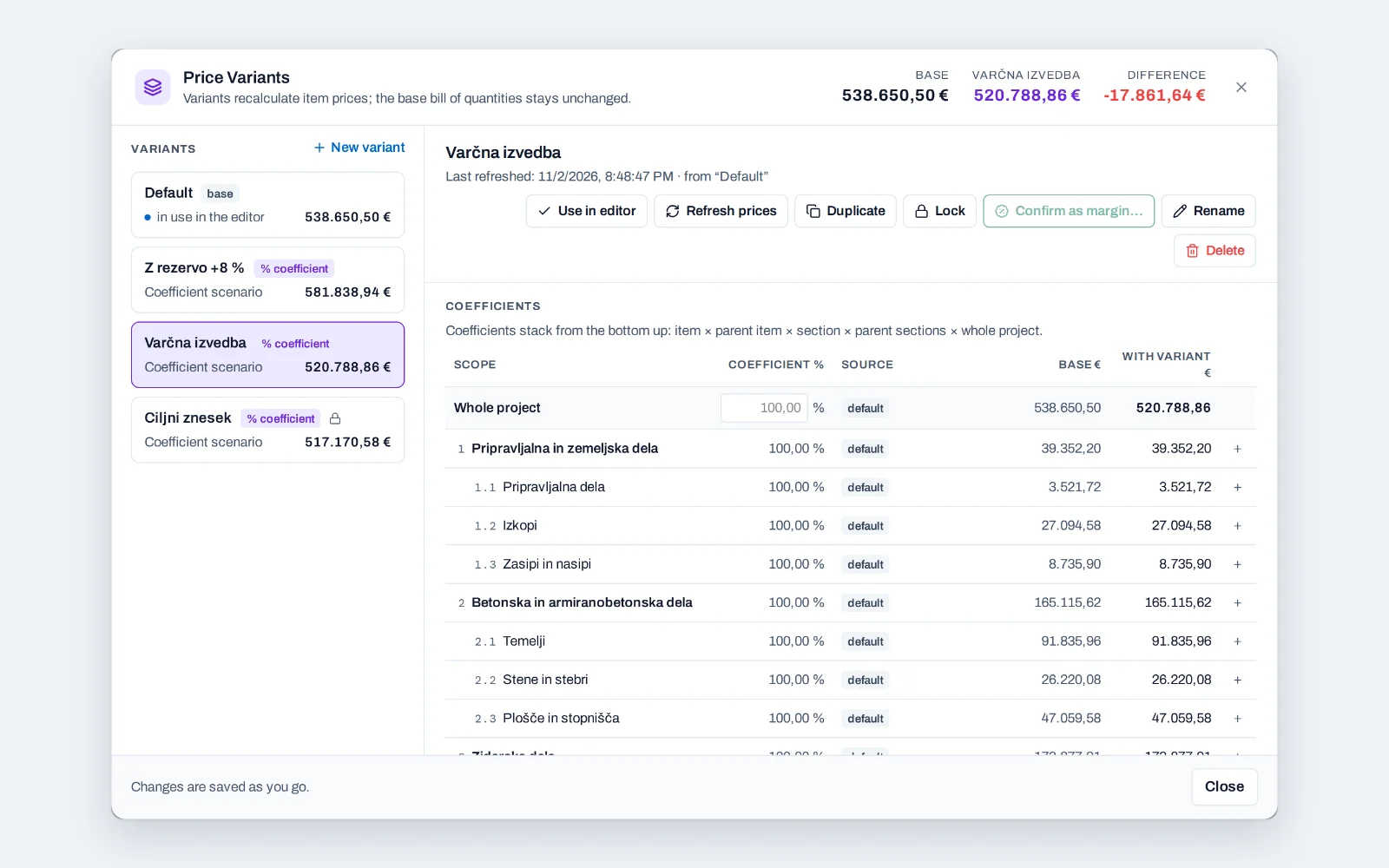
- Pricing scenarios: price the same bill in several versions against the base price — manually, by percentage or towards a target amount for which Quantify calculates the required percentage — and compare them before you choose your offer. Scenarios can be duplicated and locked.
- Margin: calculate the selling price from your cost price; only project managers and above see the margin, so it stays internal.
All Quantify features
The bill you know — only faster
- Hierarchy: sections and subsections, line items, sub-items (the parent item totals them automatically) and notes.
- Formulas in quantity and price (
=12*4+8), column-wise editing like a spreadsheet, continuous saving. - Keyboard first: command palette (Ctrl+K), project-wide search (Ctrl+F), Zen mode for focused work (F9).
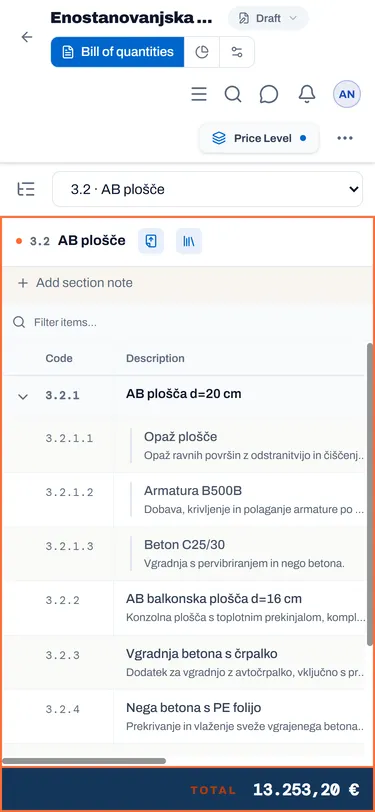
Every item has its own history
- Audit trail: each item shows who created it and who last changed it, and when. All changes to the project are also collected in one place, filterable by period and type of change.
- Item codes renumber themselves after every move, following the template you chose: numbers, Roman numerals or letters. You build the code format template yourself.
- Moving and copying: drag an item, cut and paste it or move it to another section. Every step can be undone.
- Comments on the item: ask the question where it arises — with replies, @mentions and a "resolved" flag.
- Details on the item: detail images go with the item into the PDF and Excel (location data is stripped on upload). Attach files or share them by link so you don't have to upload them to the platform. They keep important documentation always at hand, but are not included in exports.
Exports that carry your brand
- PDF and Excel with a cover page, summary, the chosen scenario and your logo; show or hide prices.
- Design pack: four layouts, your font and accent colour, saved variants — and a pack you can move to another organisation.
- Export the whole project or a single section.
Send the bill to your client — no email attachments
Share bill creates a link that works only for the listed email addresses. The recipient gets it by email, confirms with a one-time code when opening it, and does not need to sign up.
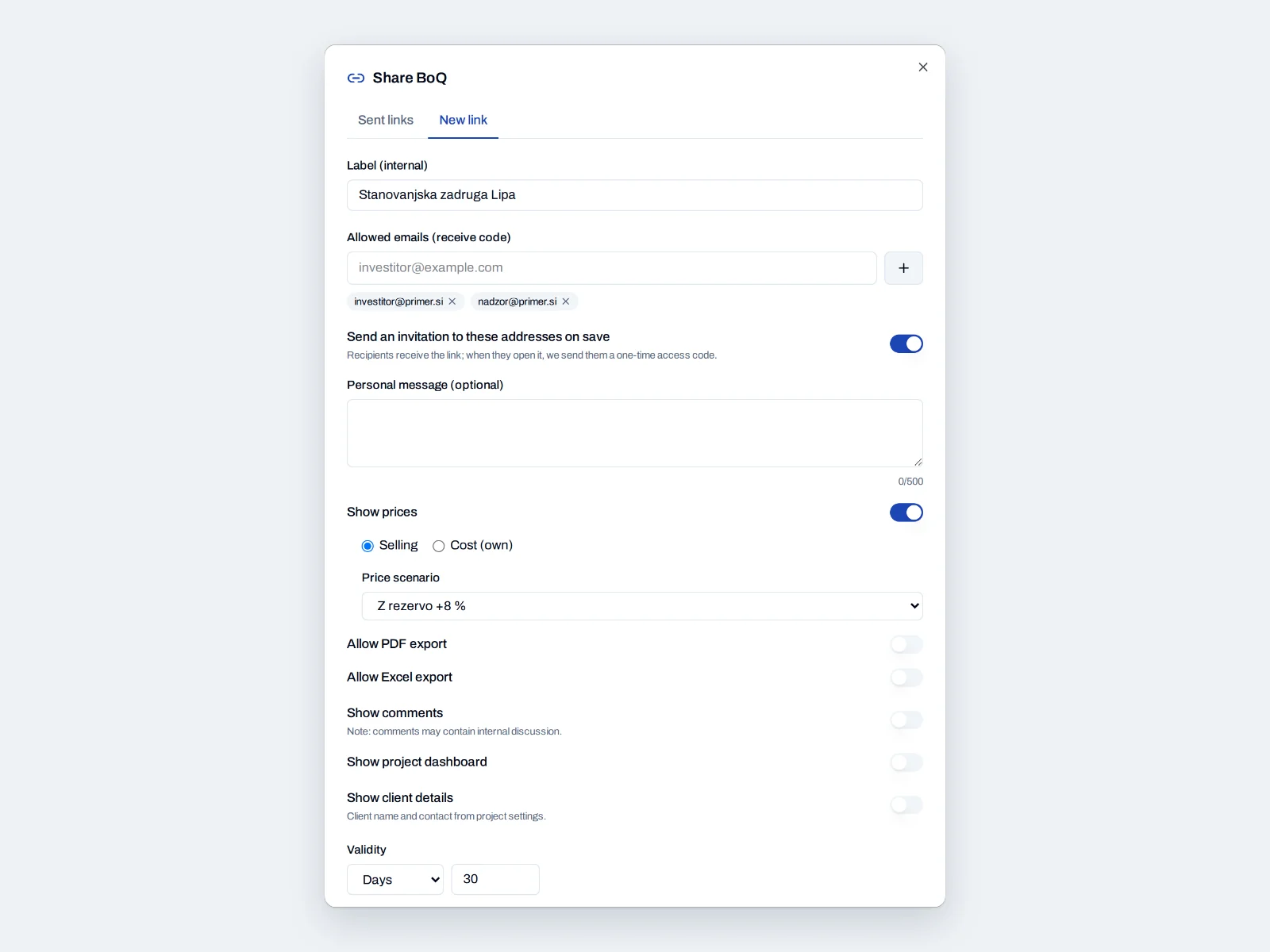
What the recipient sees. The link opens a web page with the whole bill — sections, items and quantities, always in their latest state — without any editing. For each link you choose what it shows:
- prices (selling or cost) and which pricing scenario,
- comments, the project overview and client details,
- export to PDF with a chosen template, or to Excel.
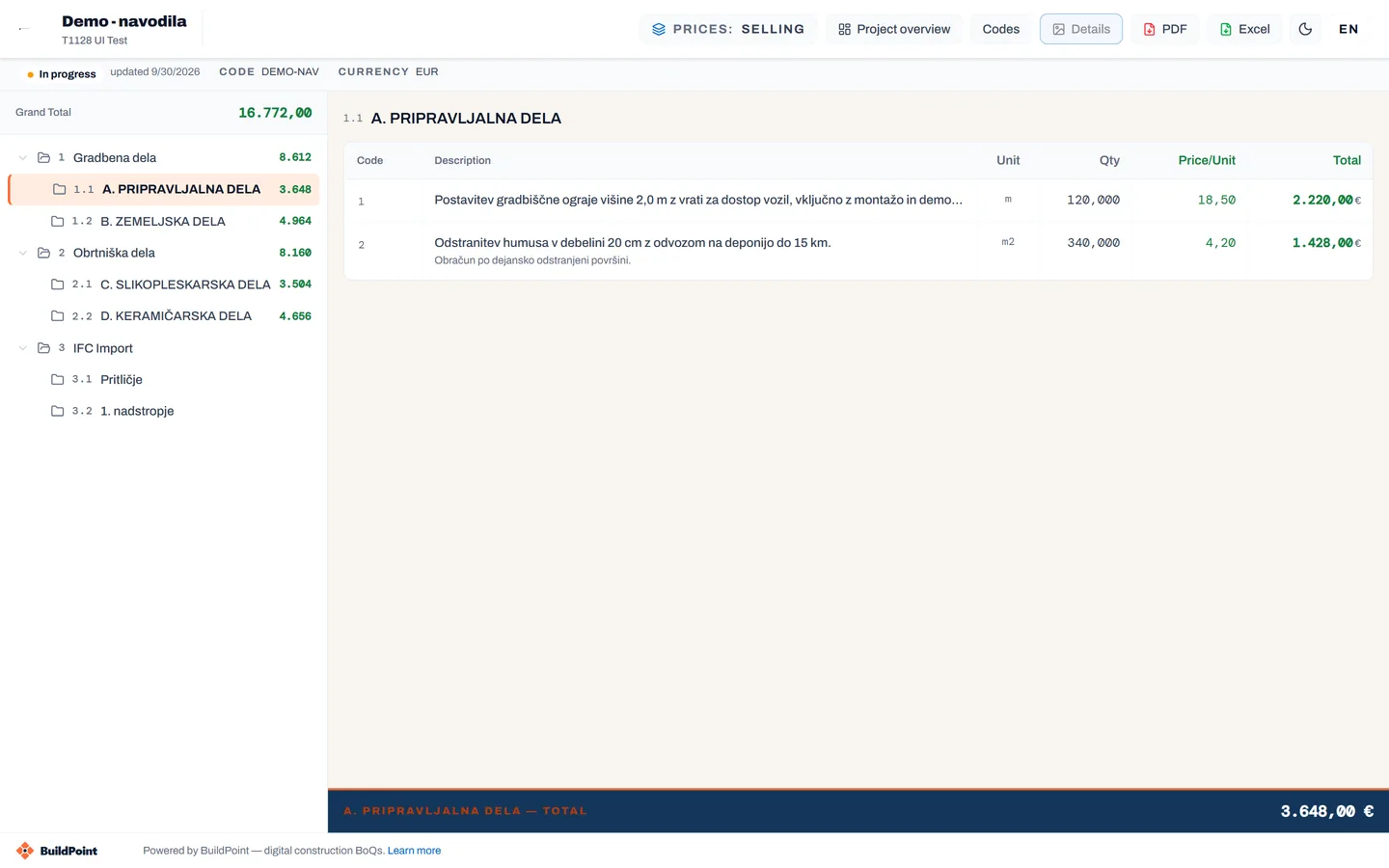
Set the validity in hours, days or until a date. You can edit or revoke the link at any time, and for each one you see how many times it was opened.
Get started
30 days free. A new organisation gets a sample project, so you can try everything before importing your own bill.