An editor that does more than a spreadsheet
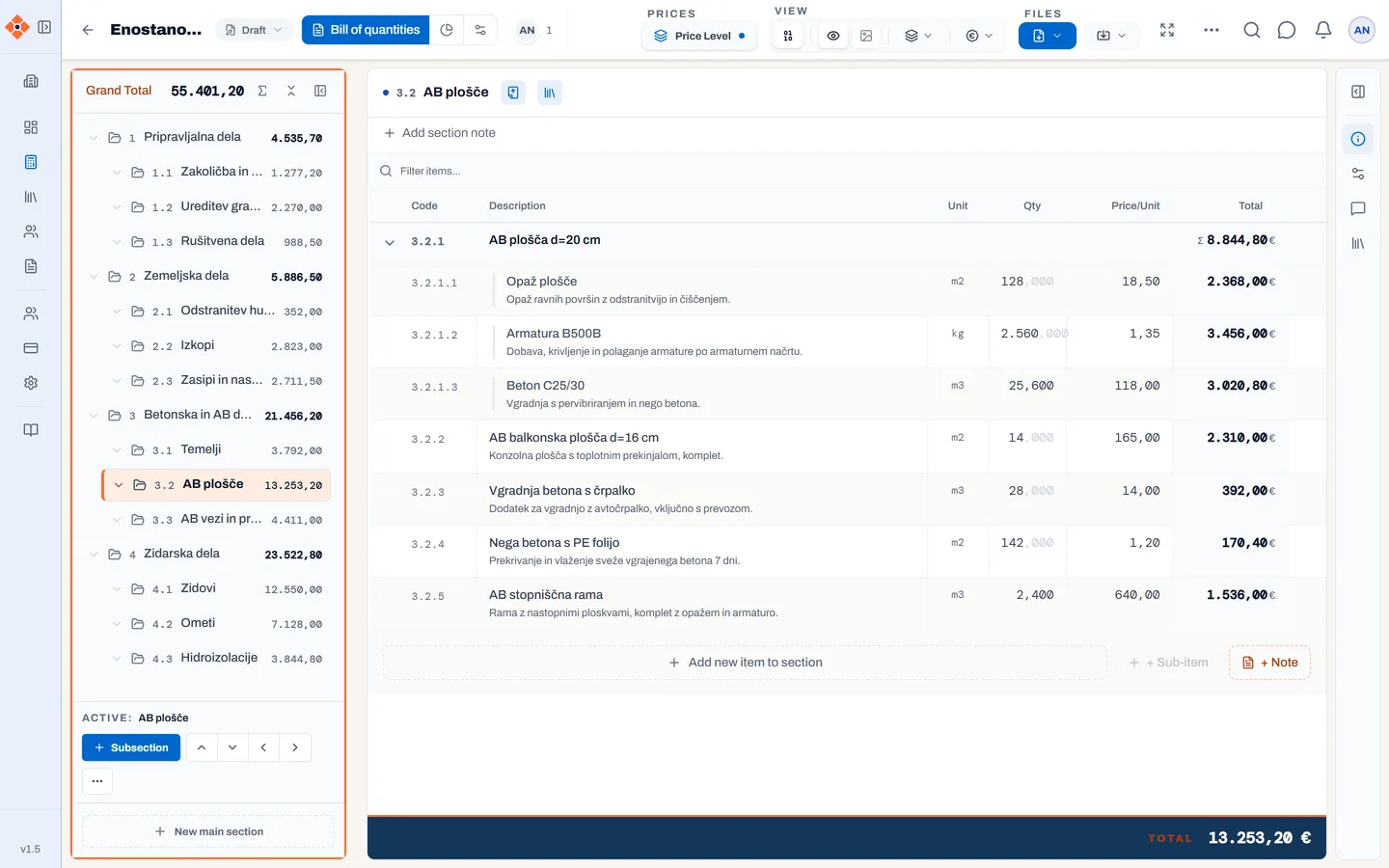
You edit the bill as quickly as in Excel — with the mouse or the keyboard alone — except that BuildPoint knows it is a bill of quantities:
- Numbering takes care of itself. Insert, move or delete an item and the codes update themselves.
- Copy, duplicate and move items and sections, including by dragging. Paste rows in from Excel and back out to Excel.
- Formulas in quantity and price (
=12*4+8) and column-wise editing, just as you are used to. - Sub-items and notes. Break an item down into parts; explanations stay in the bill as notes.
- Long item descriptions without the limits of a cell.
- Everything about an item in one place: detail images, attached files and comments with @mentions — agreements stay with the item, not in your inbox.
Faster to a finished bill
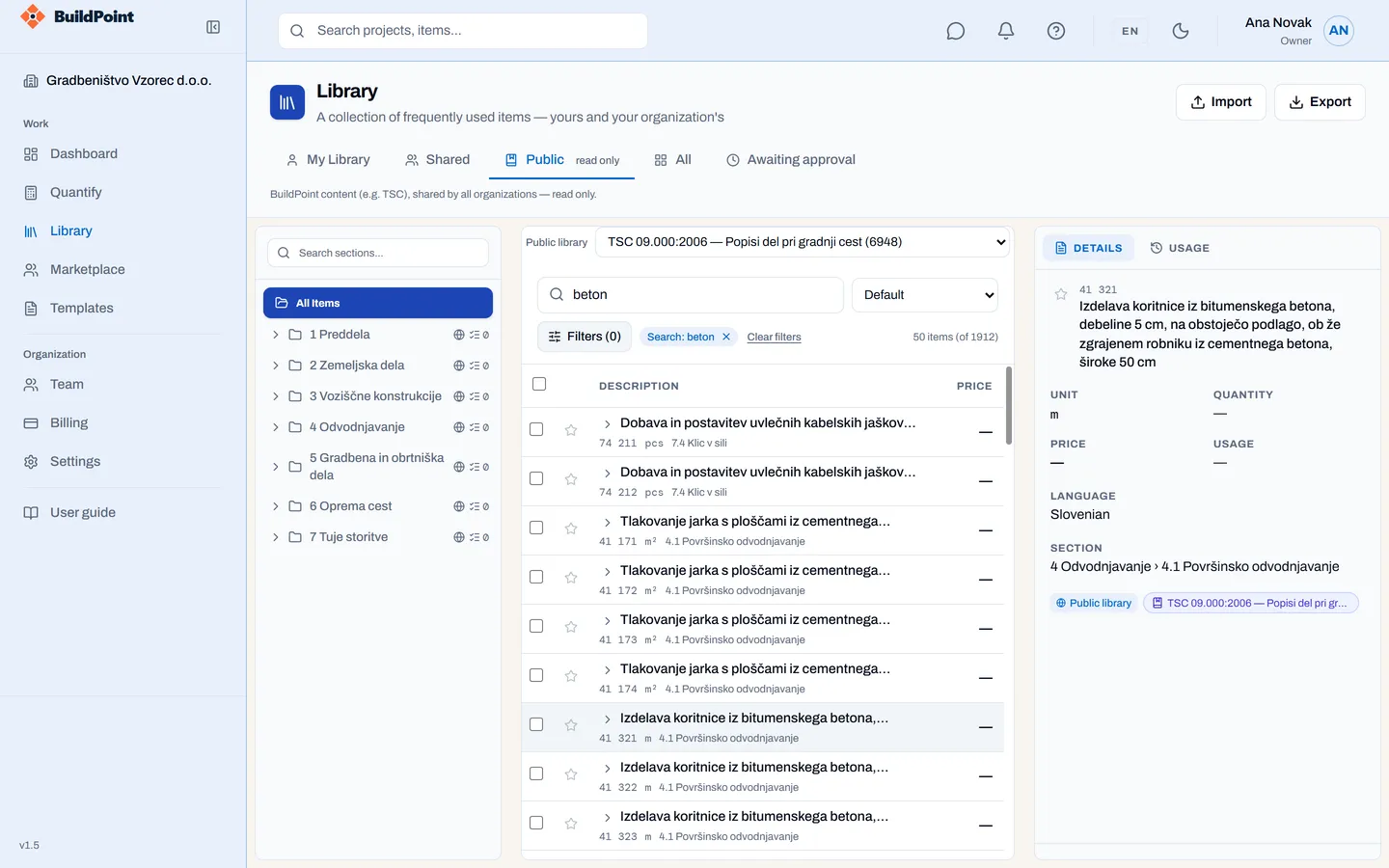
- Item library — yours, your company's and the public catalogue (for example TSC 09.000:2006). Find and insert an item in seconds. → Standards Library
- Excel or IFC import — start from what the client or designer sent you. → Quantify
A document you are proud to hand over
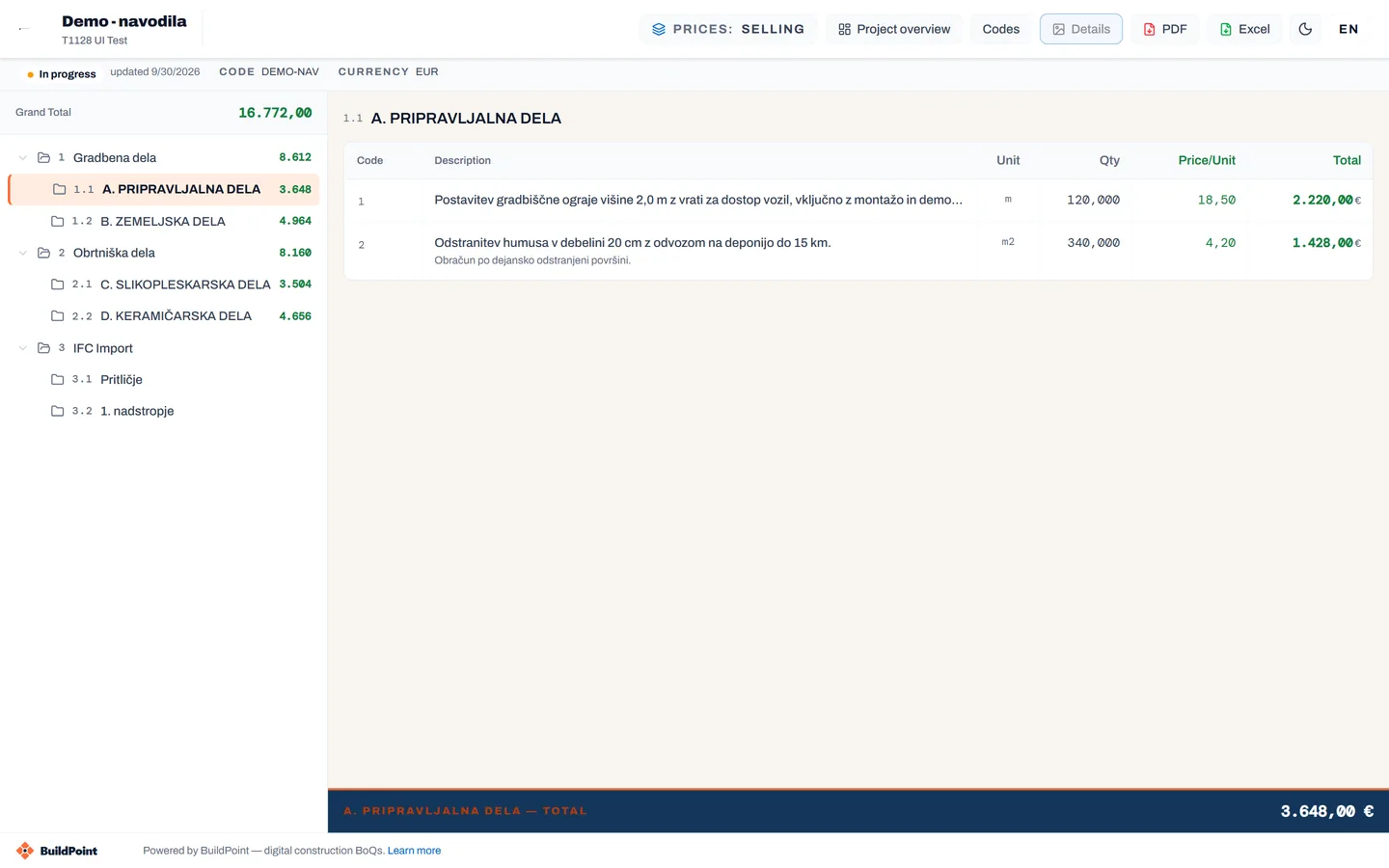
- Branded PDF and Excel: cover page, summary, logo, your chosen layout.
- A shared link for your client. Instead of email attachments, you send your client a link to the bill. They open it with a code they receive by email, without signing up, and see the latest state of the bill without any editing. You choose whether they see prices and comments and whether they can download PDF or Excel. The link has an expiry date, you can revoke it at any time, and you see how many times it was opened. → How it works
New clients
Publish a marketplace profile with your trades and regions, receive matching requests and build your reputation with ratings by trade. → Marketplace