One version instead of five.
Spreadsheets are great for calculations. But when several people edit a bill, every change becomes a new copy — and a question of which one is right. In BuildPoint everyone works on the same bill, and every export comes from the latest state.
- boq_v3
- boq_v3_FINAL
- boq_v3_FINAL_changes
- boq_v4_really_final (2)
- One bill, latest state, for everyone
Modules
-
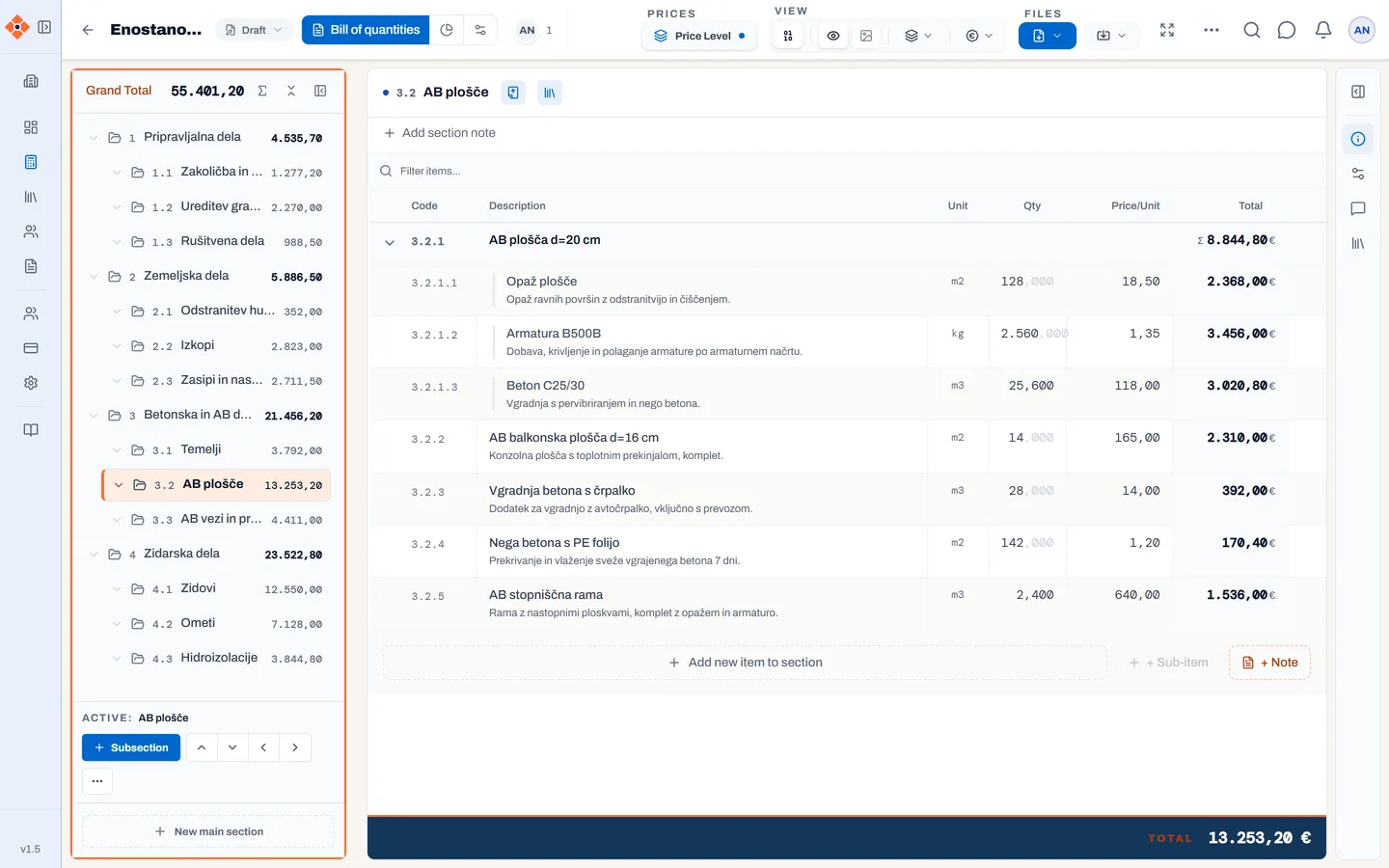
Quantify A bill of quantities your whole team edits at once. Excel and IFC import, pricing scenarios, overheads and margin, PDF and Excel export.
-
Marketplace Need quantity surveyors for specific trades? Post a request and verified quantity surveyors send you proposals to prepare the bill, trade by trade.
-
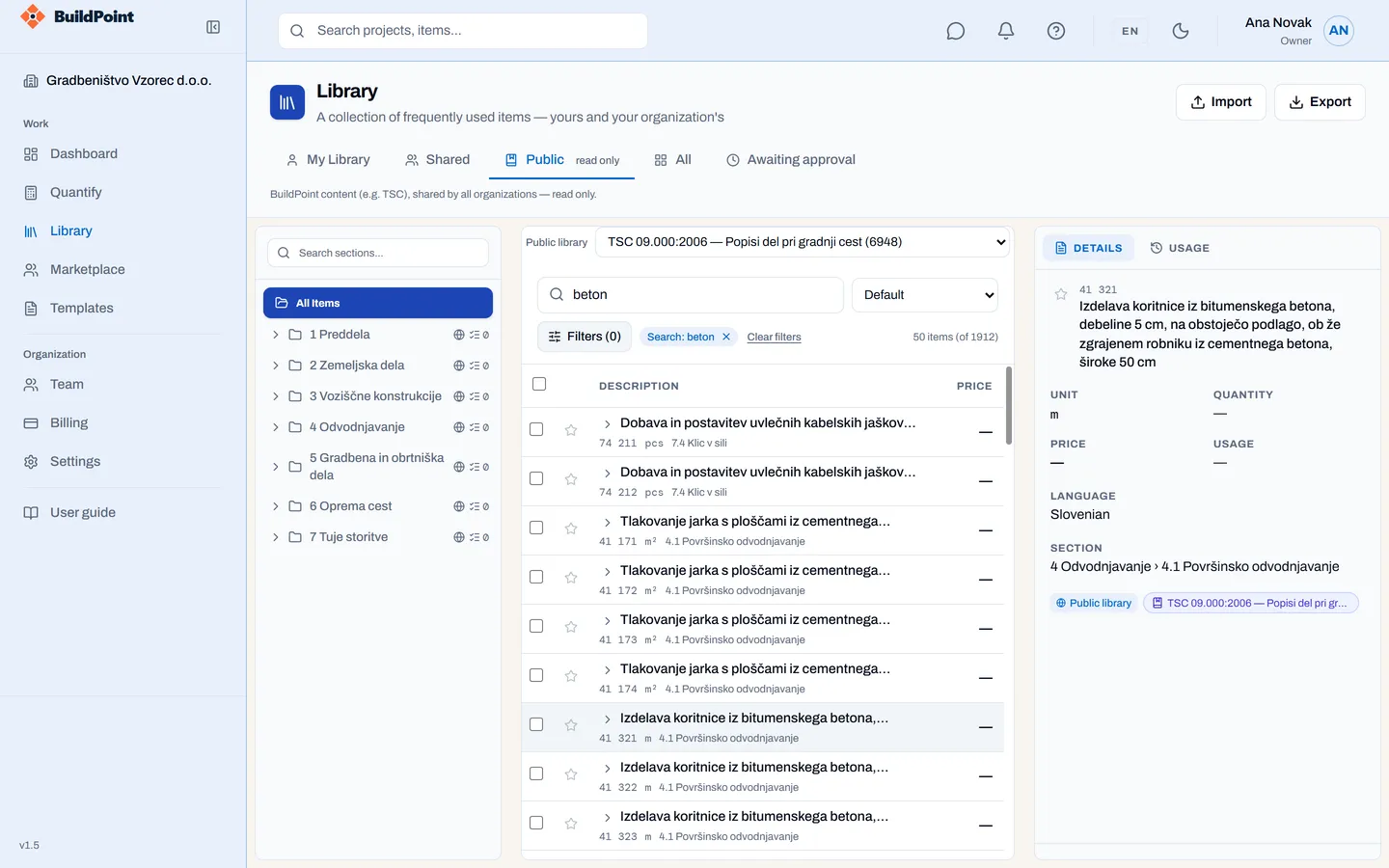
Standards Library Your line items, templates and text blocks, a shared company library and the public TSC 09.000:2006 catalogue.
Coming next
- BidFlow: tenders for construction work.
- SitePro: construction site management.
From Excel to PDF in three steps
-
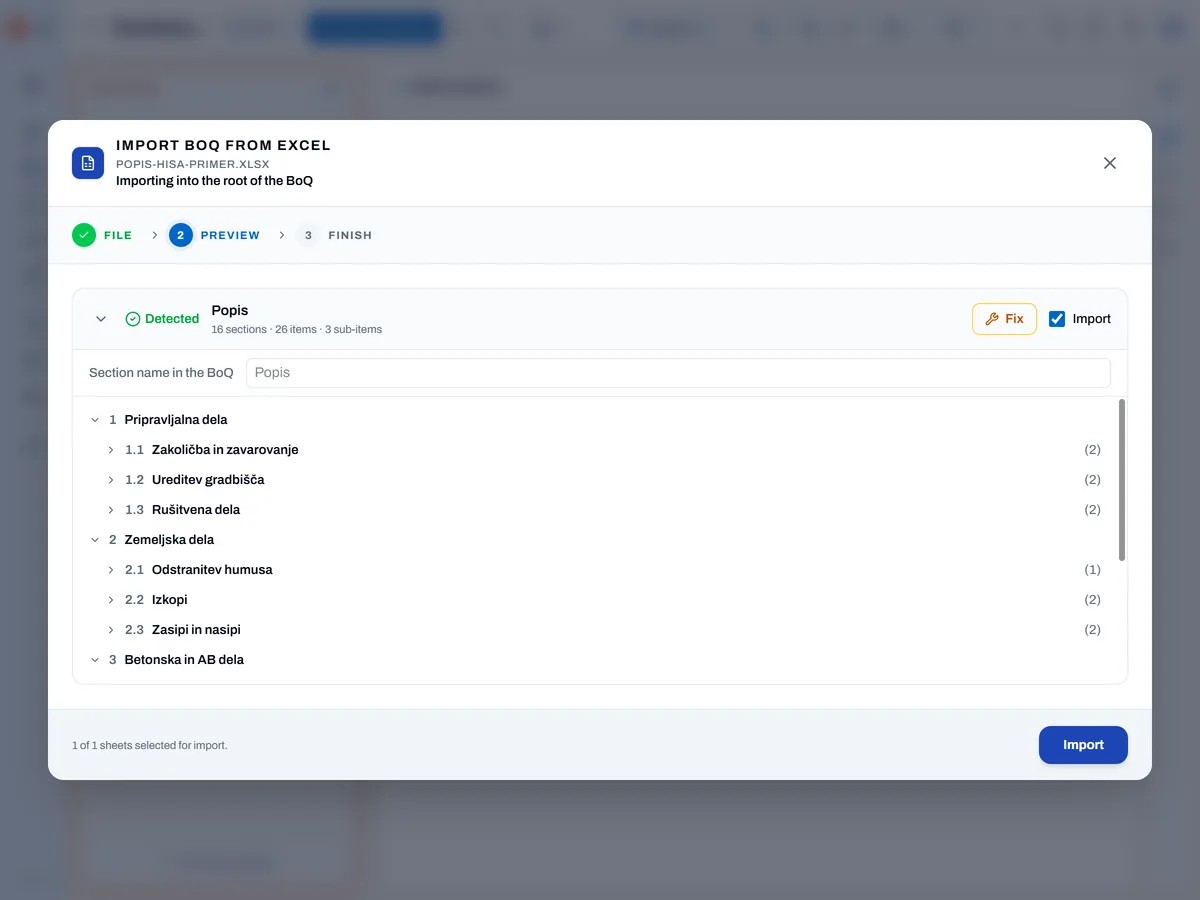
Import an existing bill from Excel or an IFC model, or start from the library.
-
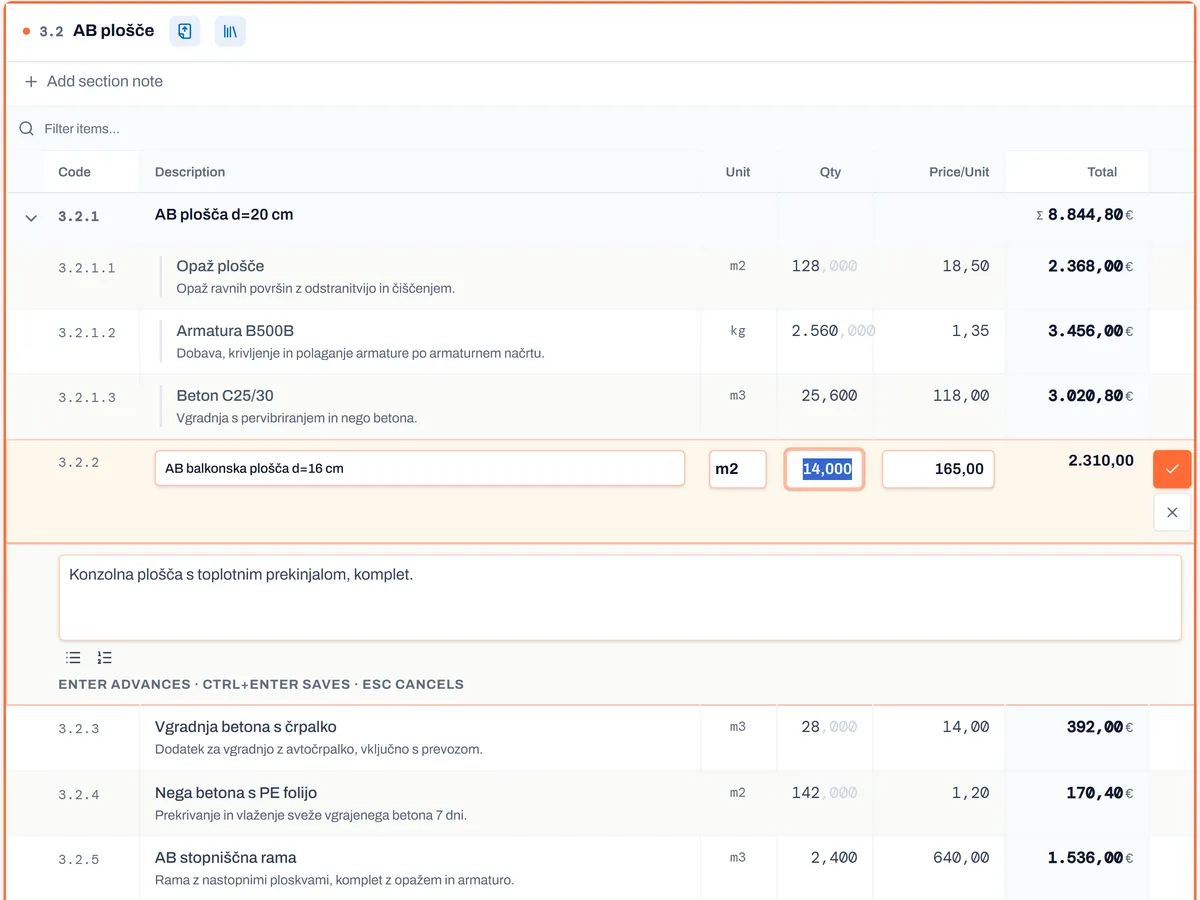
Edit with your team simultaneously, with roles, comments and an audit trail.
-
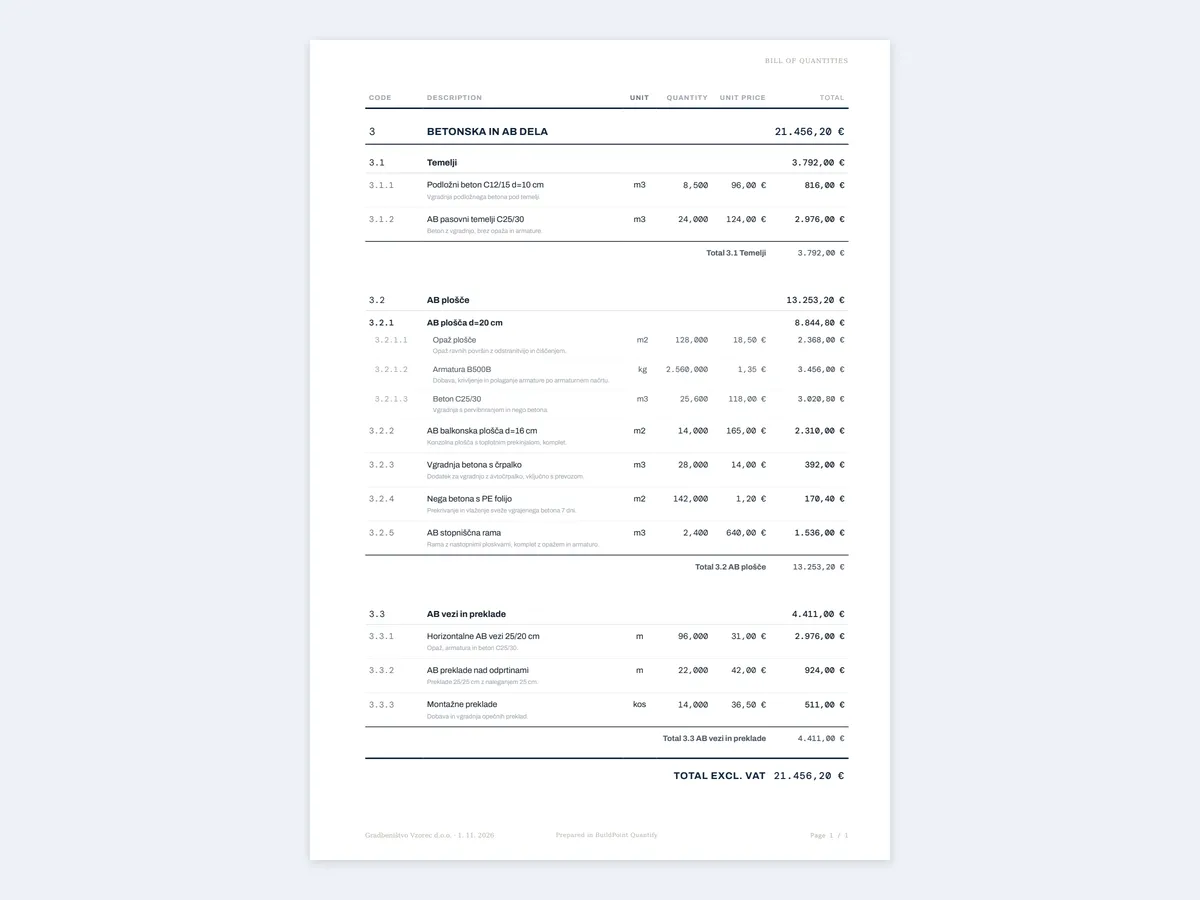
Export a branded PDF or Excel, or send your client a secure link.
Who it's for
- Quantity surveyors Library items in seconds, new clients on the marketplace.
- Contractors One bill for the whole team, pricing scenarios and margin under control.
- Clients and developers Find a quantity surveyor and receive the bill via a secure link, without attachments.
- Designers Quantities from the IFC model, re-import when the design changes.
Why BuildPoint
- Everyone on one bill of quantities. The team works on one bill of quantities, not on copies sent by email. Comments, mentions of colleagues and attachments stay with the item they refer to.
- Bills of quantities without the Excel busywork. Numbering and totals run automatically, so there are no formulas to maintain. Import a bill or paste it from Excel, and read quantities from an IFC model (IFC2X3 and IFC4). When the design changes, a re-import updates the quantities and keeps the prices.
- Reuse what you know. Keep items, sub-items and standard notes in your personal and company libraries, and let templates set the structure of a new bill. You also have ~7,000 items from the TSC 09.000:2006 catalogue at hand.
- A marketplace for quantity surveyors. The client posts a request and chooses a surveyor, and surveyors are notified of requests that match their profile. Proposals and signing are in one place.
30 days free, no card required. No long-term lock-in — turn off auto-renewal any time. Data stored in the EU.
Your data is safe
- Two-step sign-in. For extra account security, users can add a code from their phone (e.g. Google Authenticator) on top of the password in the app, with backup codes in case the phone is lost.
- Separated data. Each organisation's data is kept apart right in the database, so other companies can't reach it.
- Secure sharing. Your client opens the bill with a code sent by email, the link has an expiry date, and you decide on the export options to PDF or Excel.
- Stored in the EU. We store data on servers in the European Union, and the connection is always encrypted.
We'll show you on your own bill.
The demo takes 30 minutes. Bring the Excel file you use today.